
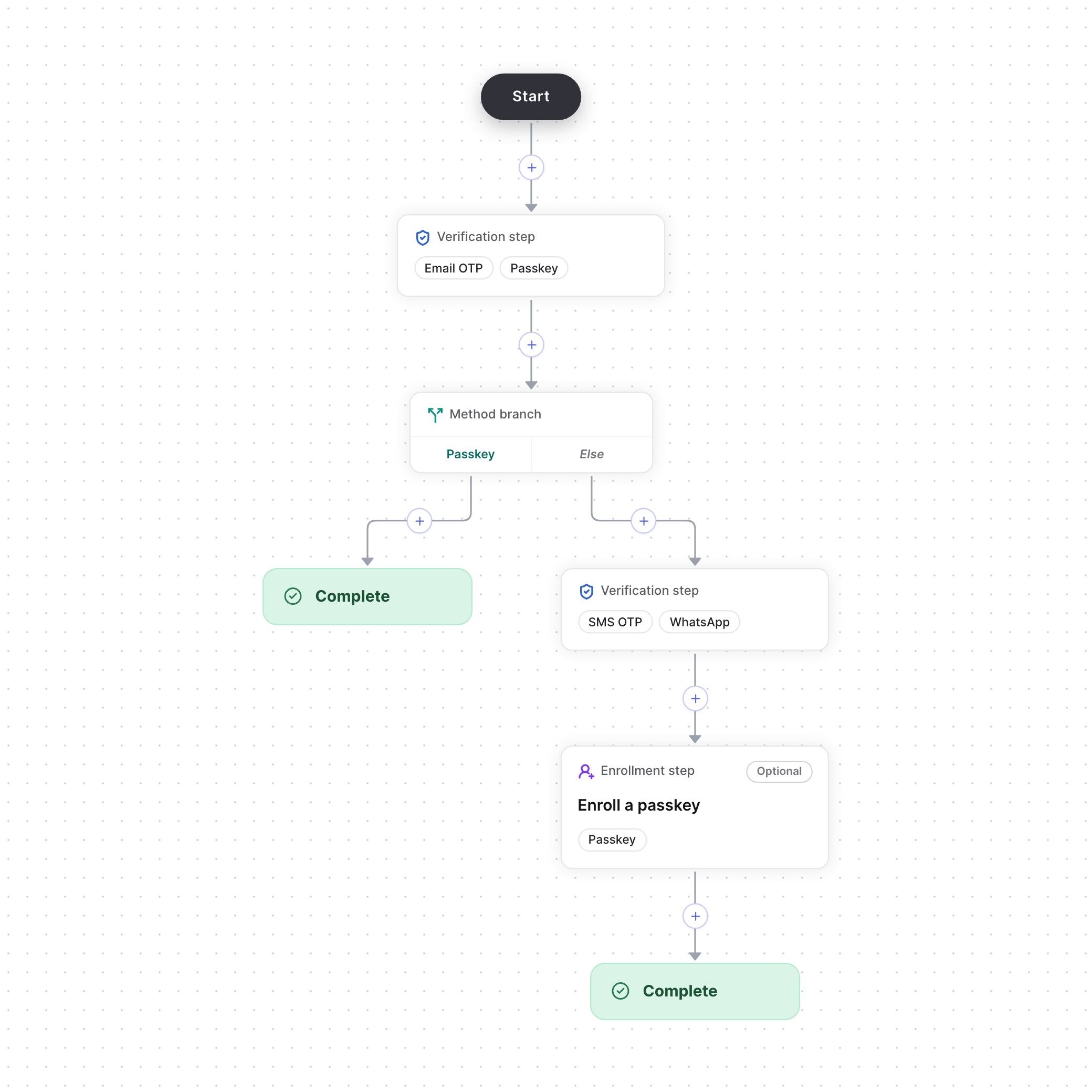
A flow that verifies users, then asks users who didn't use a passkey for a second step
Quickstart
1
Create a Flows action
On the actions page, select New action, enter a
name such as
signIn and choose Flows as the type.2
Build and publish the flow
Choose a template or start from scratch. Select Publish to make the flow live, then select Test flow to run it as a test user.
3
Start the flow
In your backend, call Start Flow with the action code, the user
and a
redirectUrl. Then redirect the user to the challengeUrl in the response.4
Verify the result
When the flow ends, the pre-built UI sends the user to your
redirectUrl with a
challenge_token query parameter. Pass it to Verify Flow, and
only treat the user as verified when the action state is CHALLENGE_SUCCEEDED.