

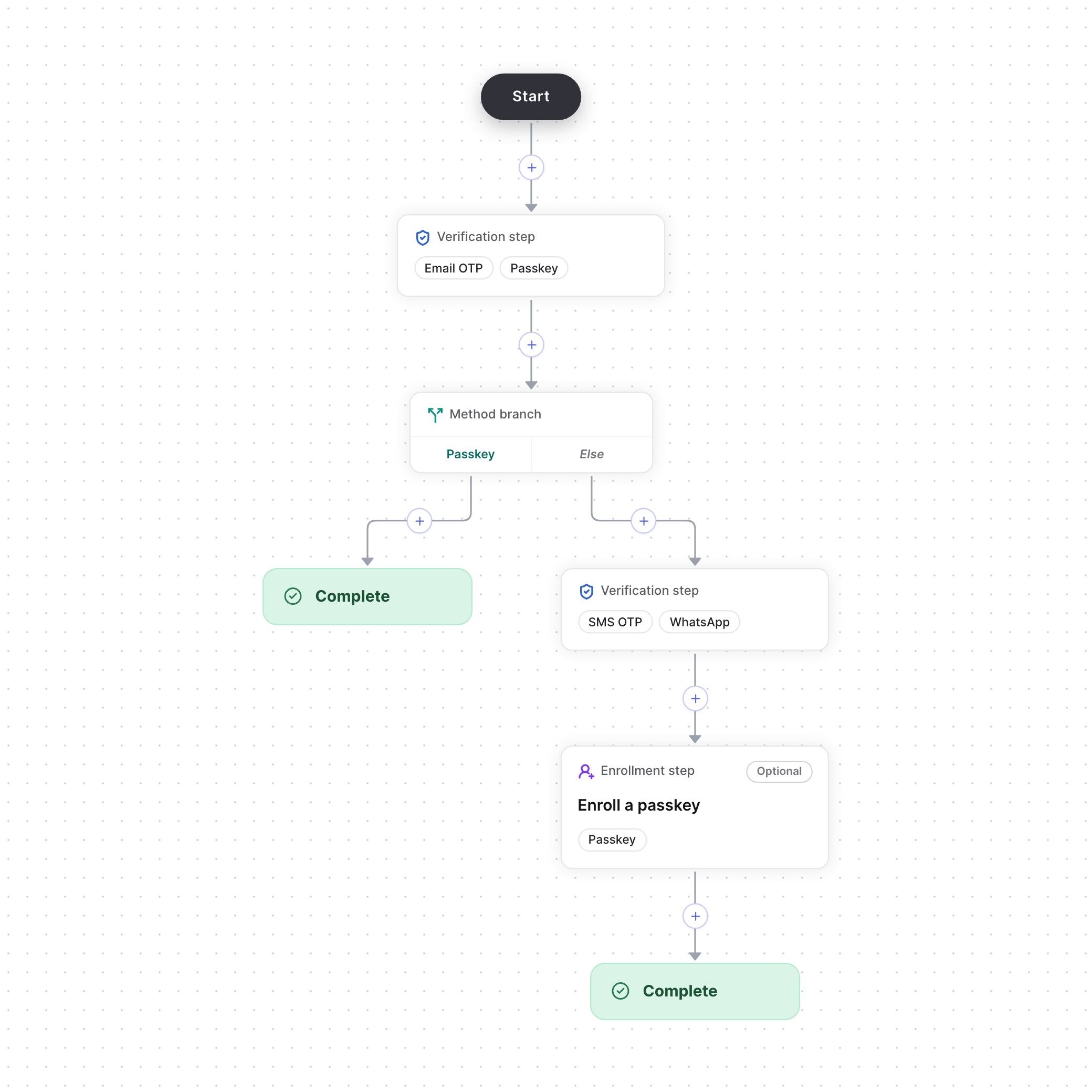
Passkey users skip the second step
Build the flow
1
Set up the methods
Set up email OTP, passkeys, SMS OTP and WhatsApp on the Authenticators page.
2
Start from the Multi-step verification template
Create a Flows action, such as
signIn, and choose the Multi-step verification template. It gives you:- A verification step that accepts Email OTP or Passkey.
- A method branch, which picks a path based on the method the user just verified with. Passkey users go to Complete, and any other method follows Else.
- On the Else branch, a verification step that accepts SMS OTP, then an optional step that offers a passkey. Users can skip an optional step.
3
Publish the flow
Select Publish. Then start and verify the flow from your backend, as in the quickstart.