

This approach does not test Authsignal’s pre-built
UI, your custom challenge UI, the redirect to and
from Authsignal, or the configured authentication methods. To include those parts of the journey,
use static OTP codes instead.
Prerequisites
- A Classic or Flow action that your application uses for testing.
- A dedicated user ID, or set of user IDs, for automated tests.
- Access to edit rules and, for a Flow action, publish the flow in the Authsignal Portal.
Choose the action type
The configuration differs by action type:- A Classic action uses rules to return a single outcome, such as
ALLOWorCHALLENGE. - A Flow action follows connected nodes in the flow editor. A rule node selects the next branch when its conditions match.
Identify test users
Use dedicated user IDs for automated tests. For a single test user, a rule can compareuser.id directly with that user’s ID.
For multiple test users, create a string custom list and add each test user ID to it. The rule can then use the user.id feature with the In List operator. A custom list lets you add or remove test users without changing the rule.
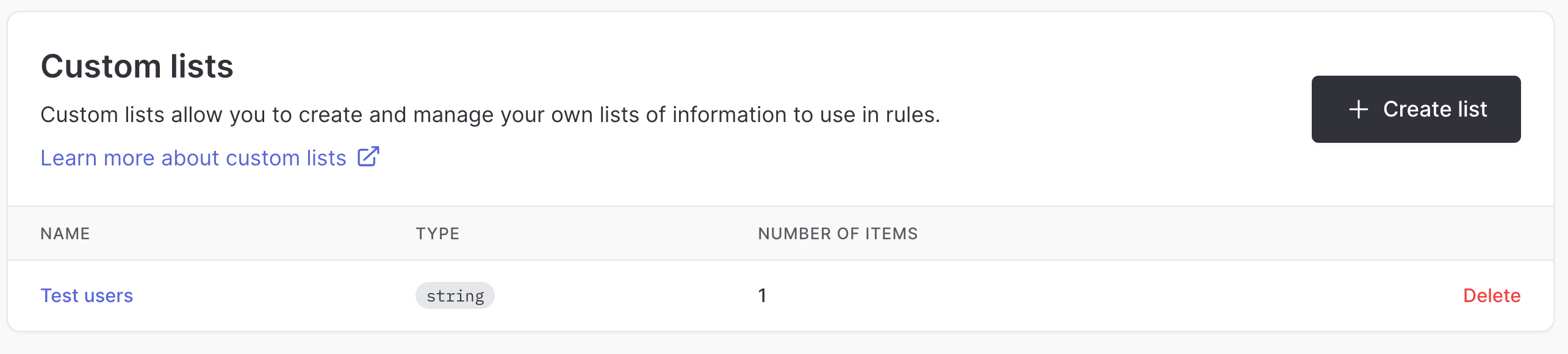
A string custom list holding the test user IDs
Bypass a Classic action
- In the Authsignal Portal, open the Classic action and select Rules.
- Create a rule for test users.
- Add a condition that matches the test user ID. If you created a custom list, select
user.id, chooseIn List, and select the list. - Set the rule’s Outcome to
ALLOW. - Save the rule.
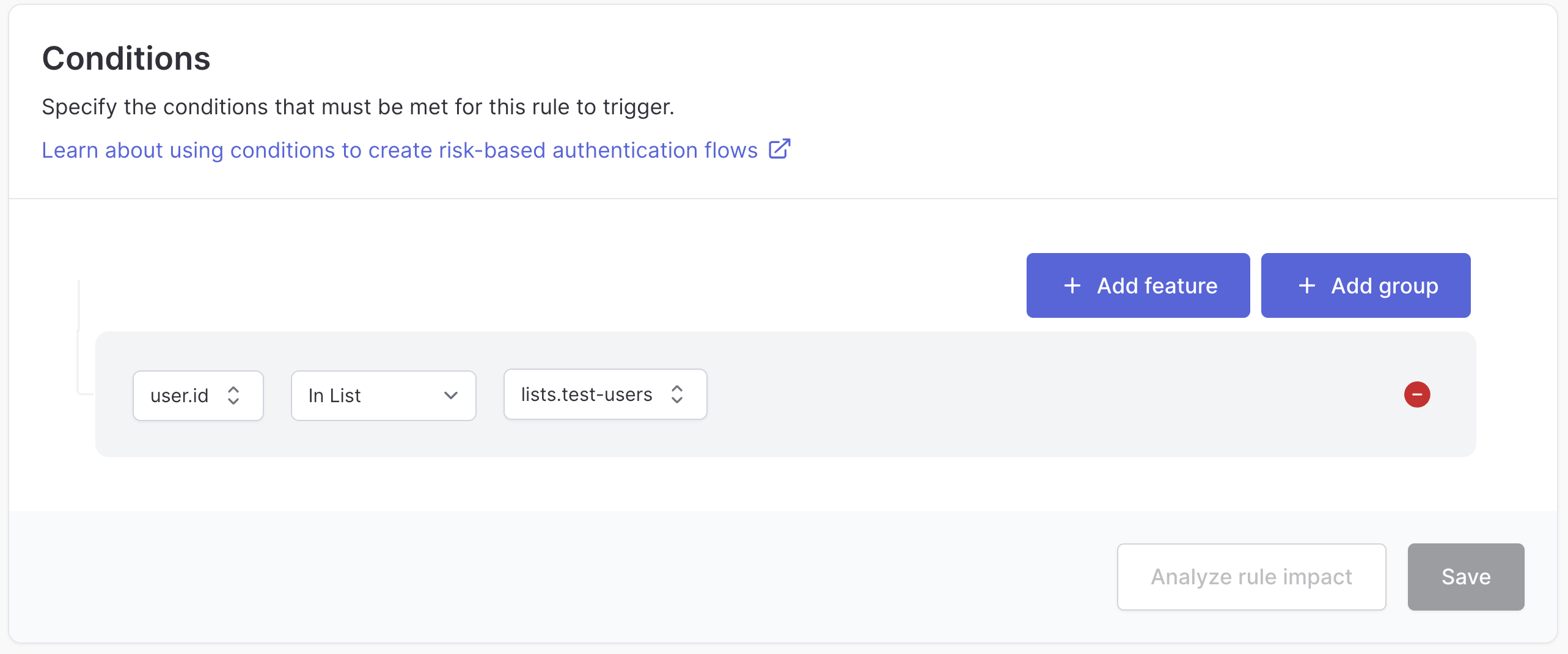
A Classic action rule condition matching the test-user list
Bypass a Flow action
- In the flow editor, add or select a rule node.
- Configure the rule to match the test user ID or the custom list of test user IDs.
- Connect the matching branch directly to a Complete node.
- Publish the flow.
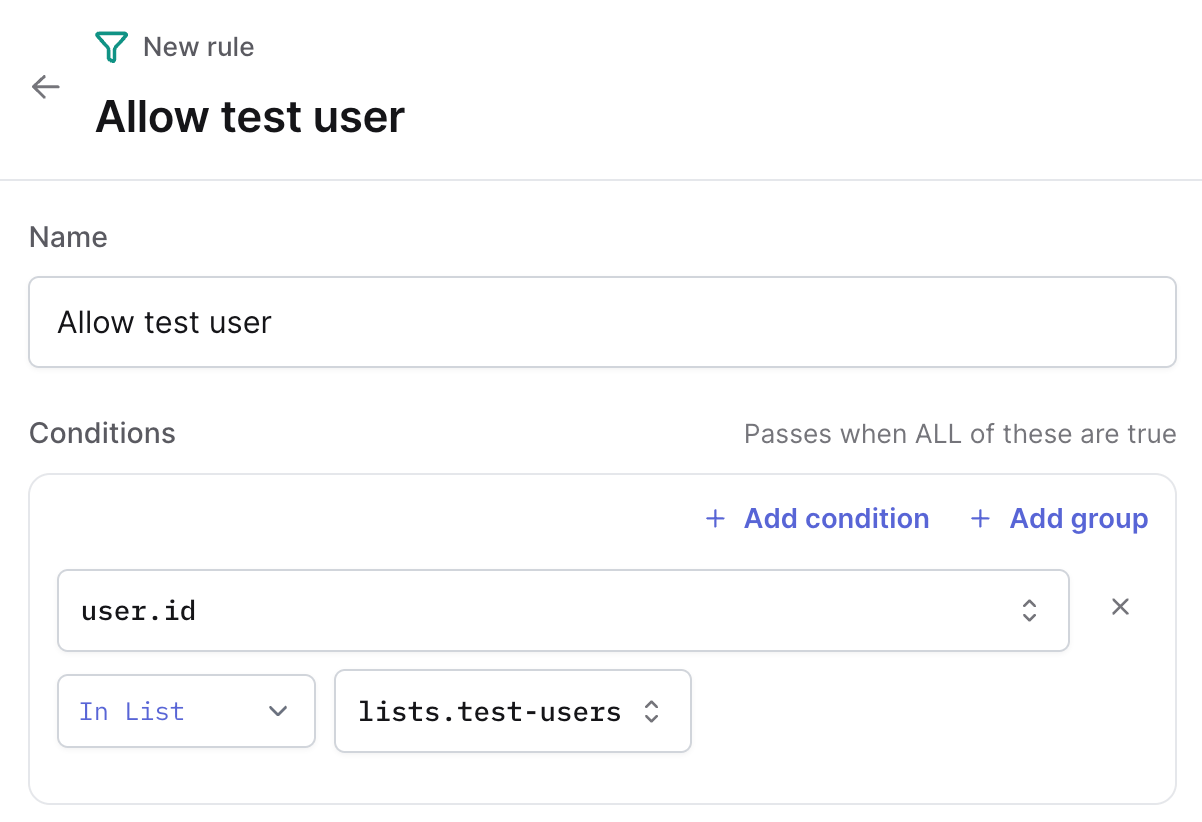
A flow rule node matching the test-user list
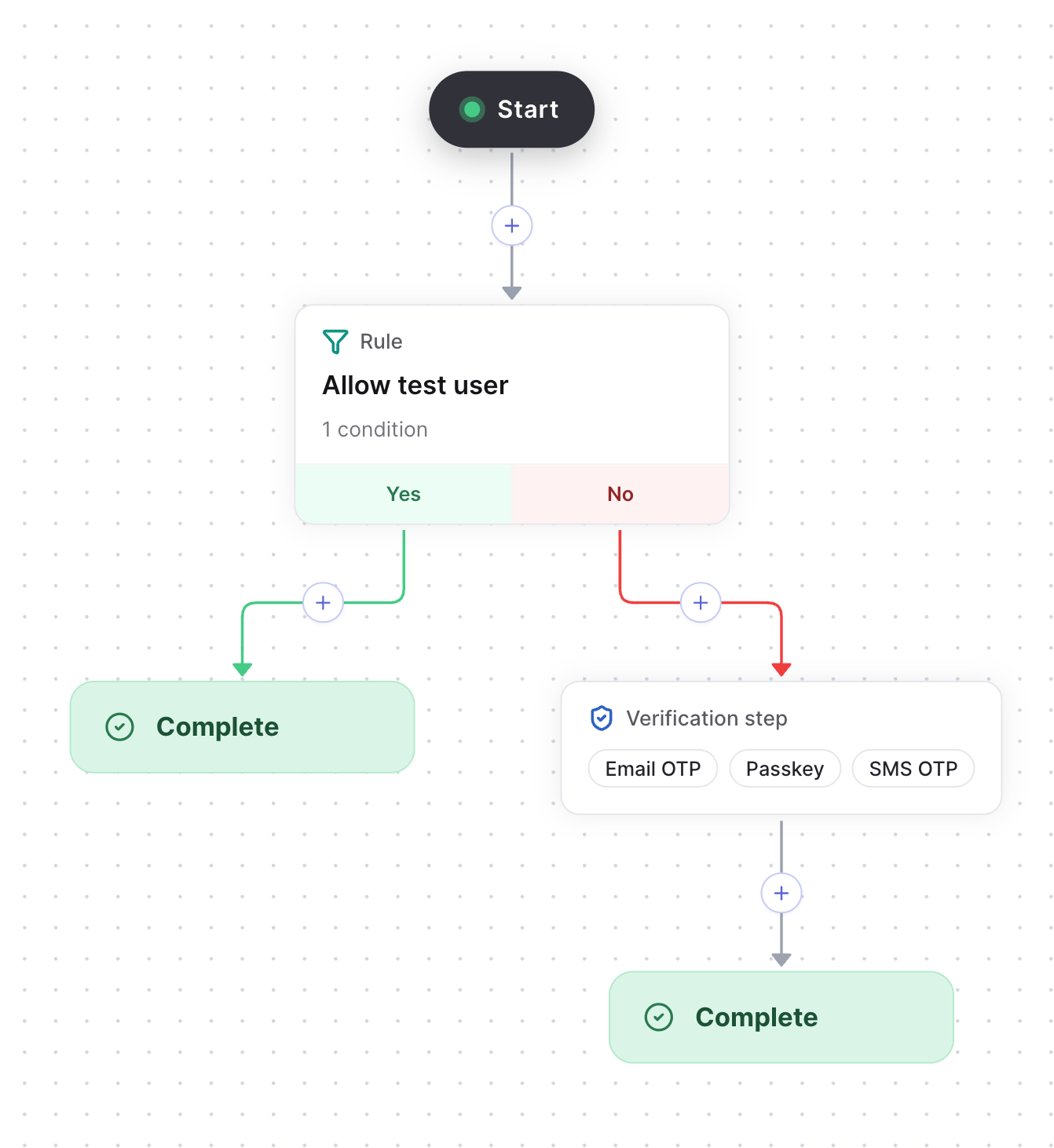
The matching branch connected straight to a Complete node
Keep the bypass limited to tests
- Do not add these rules to production environments.
- Use user IDs that are reserved for automated testing.
- Prefer a custom list when you have more than one test user.
- Review the list regularly and remove IDs that are no longer used.