

Roles
Where it appears
Customer verification is available on supported record types, including Interaction, Incident, Ticket, and Task records. Two elements surface it on the record:- A Start Customer Verification button in the record toolbar, used to launch a verification.

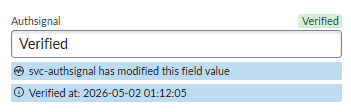
- A read-only Authsignal status field on the record, which shows the current verification state at a glance.
The verification flow
Agent steps (in ServiceNow)
1
Open the customer's record
From the Interaction, Incident, Ticket, or Task, open the record for the customer you are assisting.
2
Click Start Customer Verification
The Authsignal Customer Identity Verification dialog opens.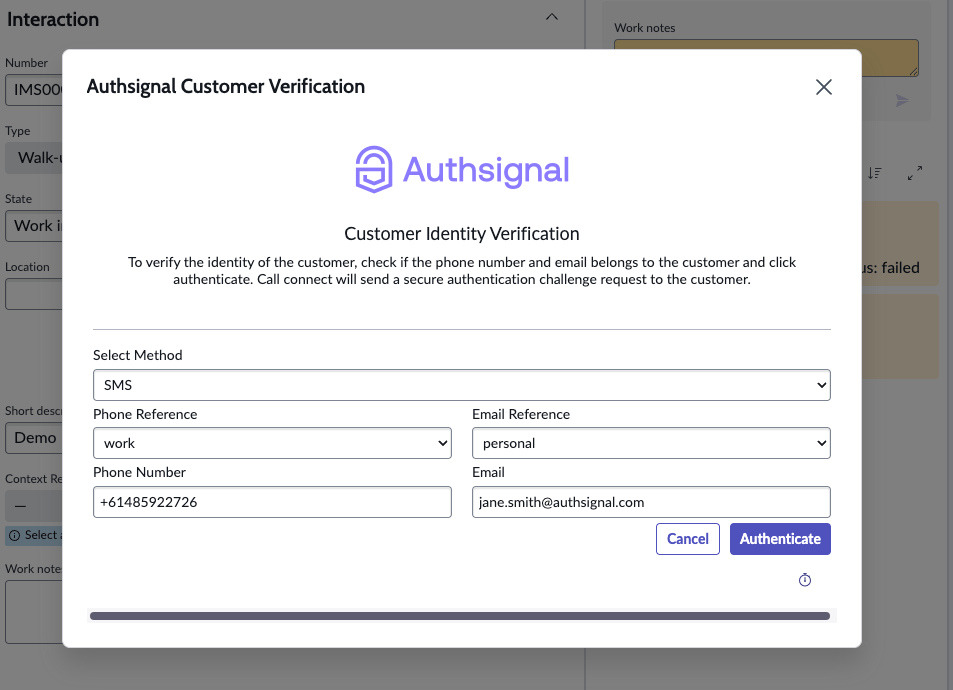
3
Choose the delivery method and contact details
Select a method (SMS, Email, WhatsApp, or Slack) and the contact reference to use, for example a personal or work phone number, or a personal or work email address, confirming the displayed details belong to the customer.
4
Click Authenticate to send the challenge
A secure request is sent to the customer, and the record’s Authsignal status moves to Verifying.
Customer steps (on their device)
1
Receive the secure link
The customer receives a message on the chosen channel containing a secure verification link.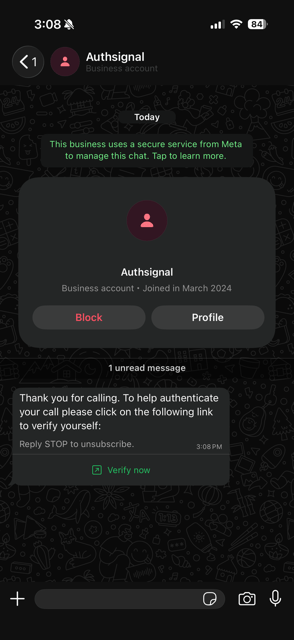
2
Open the approve request page
The link opens an Authsignal-hosted page that describes the request, for example “Verify you are calling the support desk”.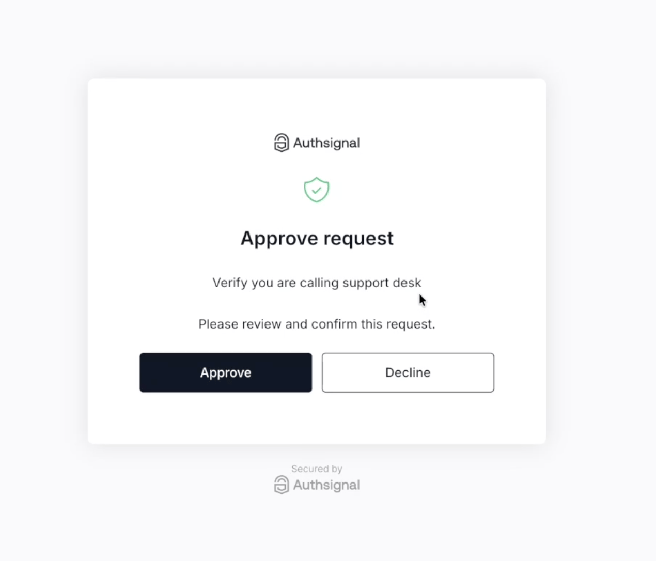
3
Review and approve
The customer taps Approve to confirm, or Decline to reject the request.
4
See confirmation
On approval, the customer sees a confirmation message and can close the page.
Result
The record’s Authsignal status updates in near real time: it becomes Verified when the customer approves, or Failed if the customer declines or the challenge is not completed. The agent proceeds with the request once the status shows Verified. An audit log is included on the record so a timestamped history of verification is available.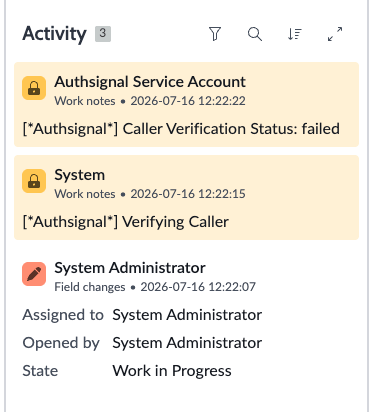
Delivery channels
The agent chooses how the verification challenge reaches the customer. All channels deliver a secure link to the same approve request page.Verification status
The Authsignal field on the record reflects the live state of the verification:The same Start Customer Verification action is available across all supported record types, so agents follow a consistent process regardless of where the request originates. Contact references, such as personal and work phone numbers, are drawn from the customer’s profile mapping, and the agent selects which one to challenge. See custom mapping to configure which fields are offered.