> ## Documentation Index
> Fetch the complete documentation index at: https://docs.authsignal.com/llms.txt
> Use this file to discover all available pages before exploring further.
# Federated Login with MFA
> Learn how to set up federated login with SSO and Authsignal in Keycloak.
## Overview
This guide demonstrates how to set up federated login (SSO) in Keycloak, using the Authsignal provider for post-login multi-factor authentication (MFA).
## Step 1: Create Your Authsignal Flow
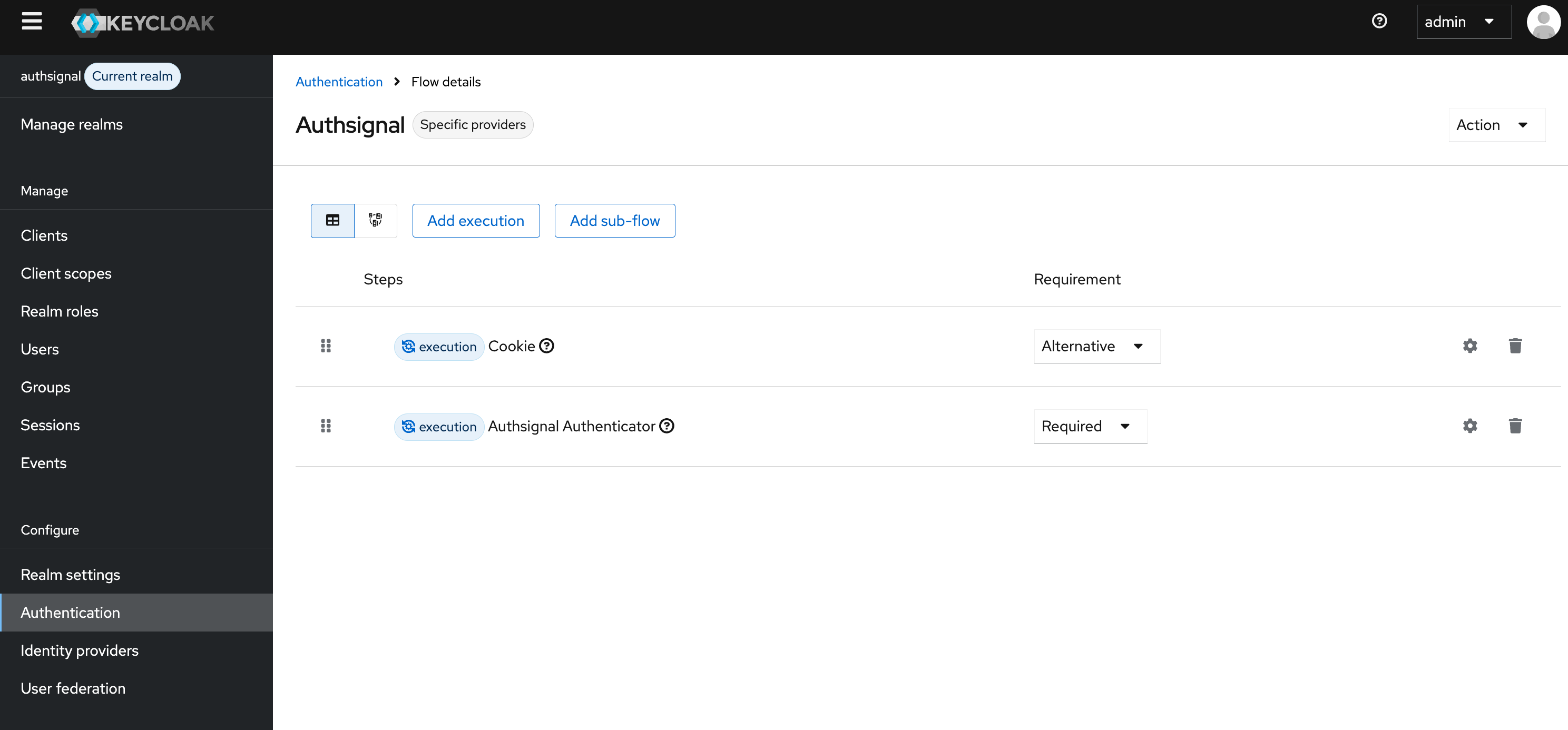
First, ensure you have created a custom authentication flow that uses the Authsignal provider. The screen shot below shows an example of the flow you need to create.
You can follow the steps in the [Keycloak MFA guide](./keycloak-mfa) to configure the authsignal provider (click on the cog button to open the settings).
 ## Step 2: Configure the Identity Provider
Navigate to **Identity providers** in the Keycloak admin panel.
## Step 2: Configure the Identity Provider
Navigate to **Identity providers** in the Keycloak admin panel.
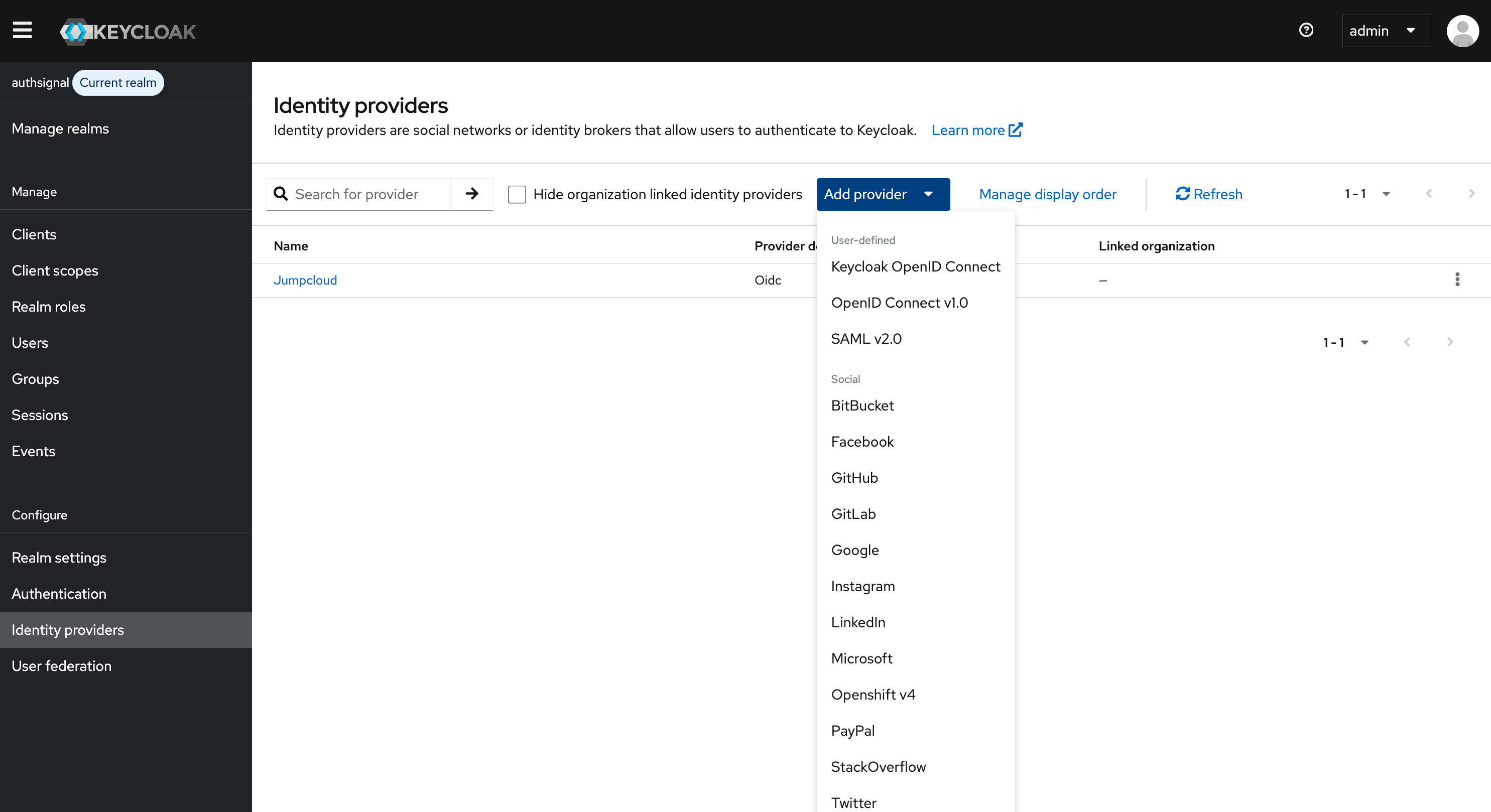 Select your SSO provider (e.g., OpenID Connect v1.0, SAML v2.0, etc.).
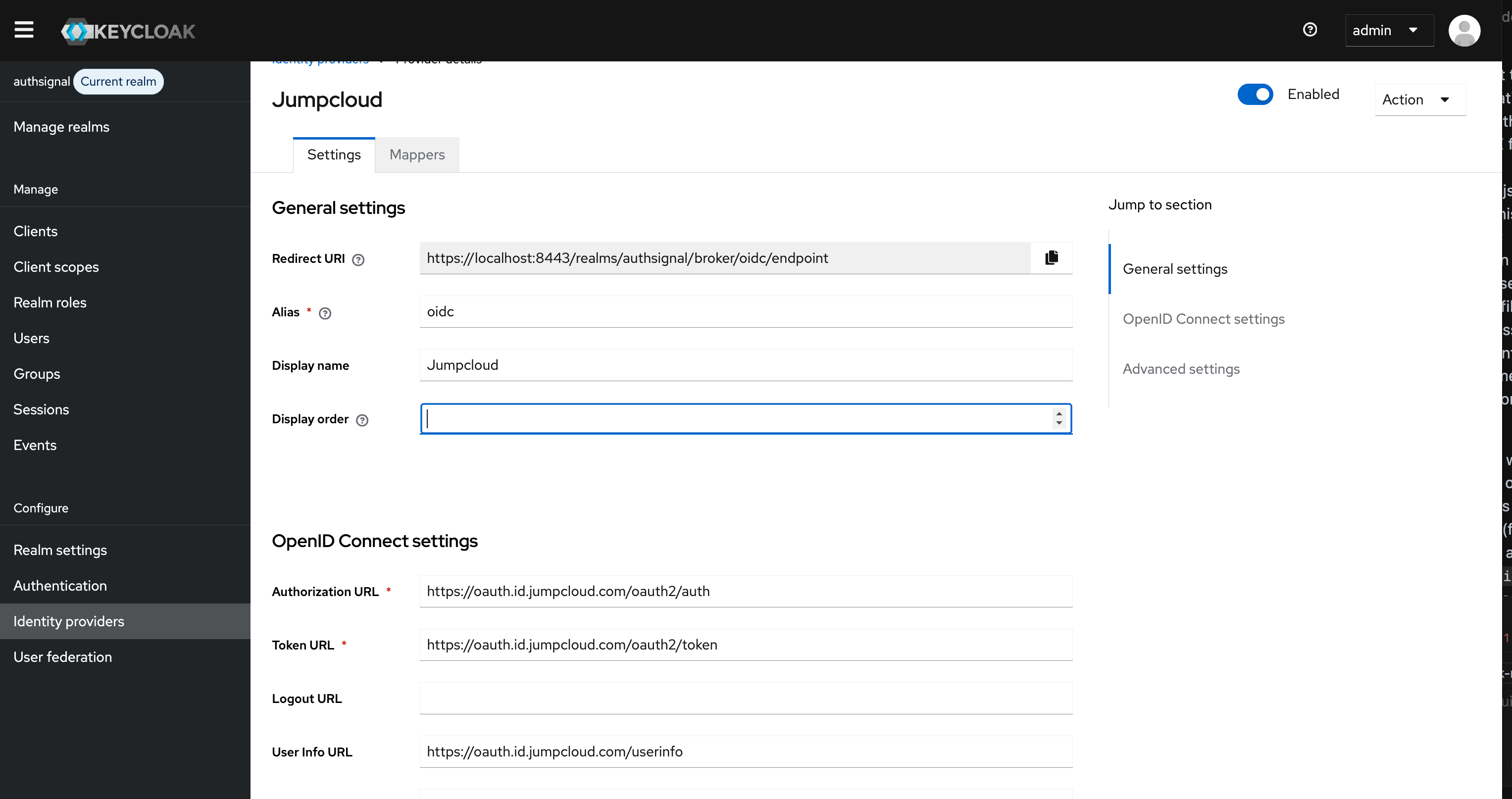
Configure the identity provider with your federated login provider configuration details.
Select your SSO provider (e.g., OpenID Connect v1.0, SAML v2.0, etc.).
Configure the identity provider with your federated login provider configuration details.
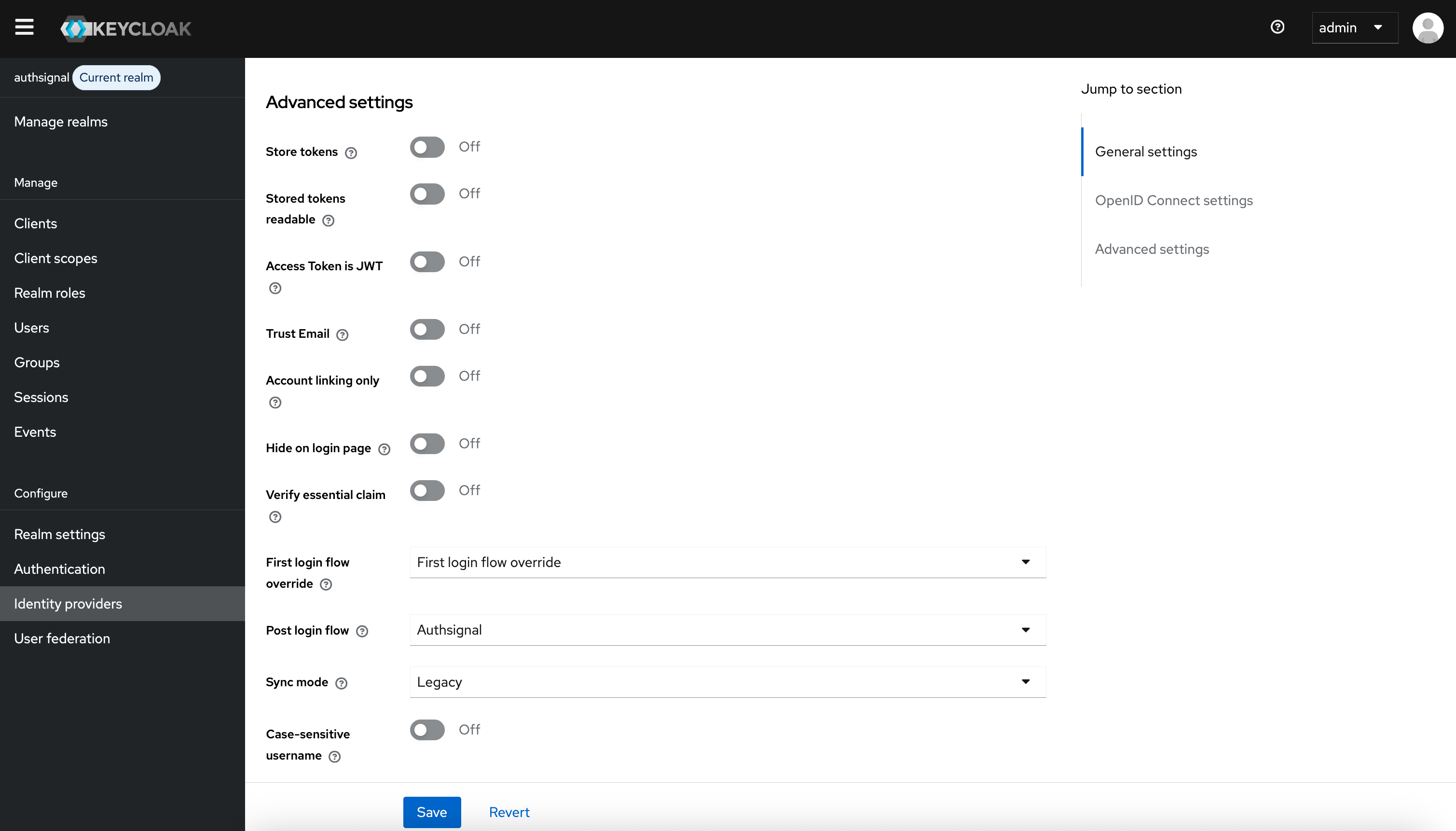
 Set the **Post login flow** to the custom authentication flow you configured in step 1.
 ## Step 3: Save and Test
Click **Save** at the bottom of the page.
Now, when users login via your federated SSO provider, they will be routed through the Authsignal post-login flow for MFA.
If you need to create a new authentication flow, or want to customize the steps, see the [Keycloak MFA guide](./keycloak-mfa).
## Summary
You have now enabled federated login with SSO and Authsignal MFA in Keycloak. Users authenticating via your identity provider will be prompted for MFA according to your Authsignal flow configuration.
## Step 3: Save and Test
Click **Save** at the bottom of the page.
Now, when users login via your federated SSO provider, they will be routed through the Authsignal post-login flow for MFA.
If you need to create a new authentication flow, or want to customize the steps, see the [Keycloak MFA guide](./keycloak-mfa).
## Summary
You have now enabled federated login with SSO and Authsignal MFA in Keycloak. Users authenticating via your identity provider will be prompted for MFA according to your Authsignal flow configuration.