> ## Documentation Index
> Fetch the complete documentation index at: https://docs.authsignal.com/llms.txt
> Use this file to discover all available pages before exploring further.
# In-app verification
> Verify high-risk actions in mobile apps using cryptographic device credentials.
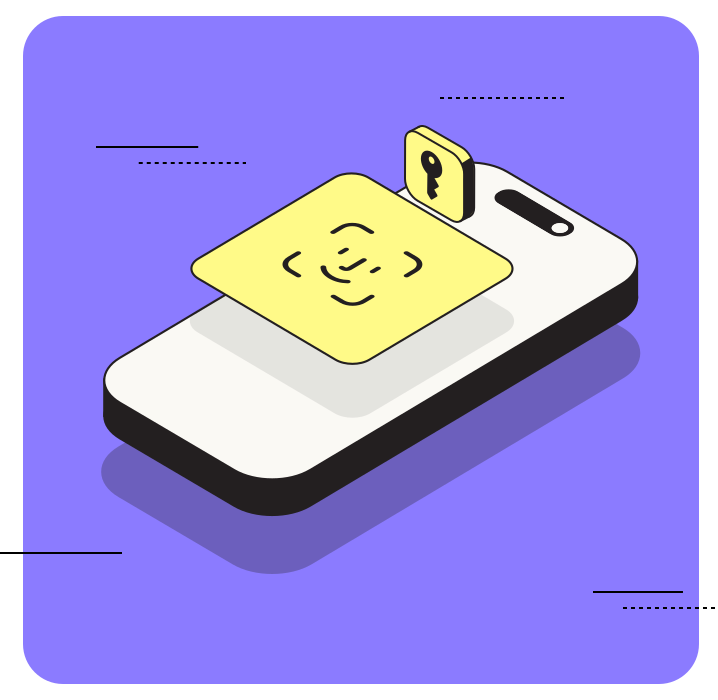 In-app verification uses device credentials to verify that high-risk actions are performed on authorized devices.
This method leverages public key cryptography where private keys are securely stored on the user's device.
The [Mobile SDK](/sdks/client/mobile/setup) is used for two key steps:
1. Registering a mobile device for in-app verification by [adding a credential](/sdks/client/mobile/in-app-verification#adding-a-credential). This step creates a new public/private key pair.
2. Verifying an action. This step uses the device's private key to sign a message which is verified on the server using the public key.
## Sequence diagram
```mermaid theme={null}
sequenceDiagram
participant M as Mobile App (Authenticated)
participant B as Your Backend
participant C as Authsignal Client API
participant S as Authsignal Server API
B->>S: Track Action
S->>B: Return challenge result
B->>M: Return challenge result
note left of M: Present challenge dialog
M->>C: Verify device using credentials
C->>M: Return token
M->>B: Pass token to validate challenge
B->>S: Pass token to validate challenge
S->>B: Return challenge result
```
## Portal setup
Enable [in-app verification](https://portal.authsignal.com/organisations/tenants/authenticators/in_app) for your tenant.
## SDK setup
### Server SDK
Initialize the SDK using your Server API secret key from the [API keys page](https://portal.authsignal.com/organisations/tenants/api) and the [API URL](/sdks/server/setup#regions) for your region.
```ts Node.js theme={null}
import { Authsignal } from "@authsignal/node";
const authsignal = new Authsignal({
apiSecretKey: "YOUR_SECRET_KEY",
apiUrl: "YOUR_API_URL",
});
```
```csharp C# theme={null}
using Authsignal;
var authsignal = new AuthsignalClient(
apiSecretKey: "YOUR_SECRET_KEY",
apiUrl: "YOUR_API_URL"
);
```
```java Java theme={null}
import com.authsignal.AuthsignalClient;
AuthsignalClient authsignal = new AuthsignalClient(
"YOUR_SECRET_KEY",
"YOUR_API_URL"
);
```
```ruby Ruby theme={null}
require 'authsignal'
Authsignal.setup do |config|
config.api_secret_key = ENV["YOUR_SECRET_KEY"]
config.api_url = "YOUR_API_URL"
end
```
```python Python theme={null}
from authsignal.client import AuthsignalClient
authsignal = AuthsignalClient(
api_secret_key="YOUR_SECRET_KEY",
api_url="YOUR_API_URL"
)
```
```php PHP theme={null}
Authsignal::setApiSecretKey("YOUR_SECRET_KEY");
Authsignal::setApiUrl("YOUR_API_URL");
```
```go Go theme={null}
import "github.com/authsignal/authsignalgo/v2/client"
client := NewAuthsignalClient(
"YOUR_SECRET_KEY",
"YOUR_API_URL",
)
```
### Mobile SDK
Initialize the [Mobile SDK](/sdks/client/mobile/setup) using your tenant ID from the [API keys page](https://portal.authsignal.com/organisations/tenants/api) and your [API URL](/sdks/server/setup#regions).
```swift iOS theme={null}
import Authsignal
let authsignal = Authsignal(
tenantID: "YOUR_TENANT_ID",
baseURL: "YOUR_API_URL"
)
```
```kotlin Android theme={null}
import com.authsignal.Authsignal
val authsignal = Authsignal(
tenantID = "YOUR_TENANT_ID",
baseURL = "YOUR_API_URL",
)
```
```ts React Native theme={null}
import { Authsignal } from "react-native-authsignal";
const authsignal = new Authsignal({
tenantID: "YOUR_TENANT_ID",
baseURL: "YOUR_API_URL",
});
```
```dart Flutter theme={null}
import 'package:authsignal_flutter/authsignal_flutter.dart';
final authsignal = Authsignal(
"YOUR_TENANT_ID",
baseURL: "YOUR_API_URL"
);
```
## Enrollment
**Scenario** - Enroll users for in-app verification so it can be used later to authorize a
high-risk action.
### 1. Generate enrollment token
In your backend, track an action for a user (e.g. "addAuthenticator") to generate a short-lived token.
This token will be used to authorize enrolling a new authentication method on their mobile device.
The **add:authenticators** scope is required to enroll a new authentication factor for an existing user.
This scope should only be used **when the user is in an already authenticated state**.
For more information on using scopes safely refer to our documentation on [authenticator binding](/advanced-usage/authenticator-binding).
### 2. Add credential
Use the token obtained in step 1 to enroll a new device credential for the user in the mobile app.
Setting `performAttestation` to `true` enables platform-specific attestation ([App Attest](https://developer.apple.com/documentation/devicecheck/establishing-your-app-s-integrity) on iOS, [Play Integrity](https://developer.android.com/google/play/integrity) on Android) which verifies that the credential is being enrolled from a legitimate app on a real device.
```swift iOS theme={null}
await authsignal.inapp.addCredential(token: "eyJhbGciOiJ...")
```
```kotlin Android theme={null}
authsignal.inapp.addCredential(token = "eyJhbGciOiJ...")
```
```ts React Native theme={null}
await authsignal.inapp.addCredential({ token: "eyJhbGciOiJ..." });
```
## Authentication
**Scenario** - Strongly authenticate actions performed by users with in-app verification.
### 1. Track action
Track an action from your backend which reflects the activity that the user is performing (e.g. authorizing a payment).
This step can apply [rules](/actions-rules/rules/getting-started) to determine if additional strong authentication is required.
```ts Node.js theme={null}
const request = {
userId: "dc58c6dc-a1fd-4a4f-8e2f-846636dd4833",
action: "authorizePayment",
};
const response = await authsignal.track(request);
if (response.state === "CHALLENGE_REQUIRED") {
// Obtain token to present challenge
const token = response.token;
}
```
```csharp C# theme={null}
var request = new TrackRequest(
UserId: "dc58c6dc-a1fd-4a4f-8e2f-846636dd4833",
Action: "authorizePayment"
);
var response = await authsignal.Track(request);
if (response.State == UserActionState.CHALLENGE_REQUIRED)
{
// Obtain token to present challenge
var token = response.Token;
}
```
```java Java theme={null}
TrackRequest request = new TrackRequest();
request.userId = "dc58c6dc-a1fd-4a4f-8e2f-846636dd4833";
request.action = "authorizePayment";
TrackResponse response = authsignal.track(request).get();
if (response.state.equals(UserActionState.CHALLENGE_REQUIRED)) {
// Obtain token to present challenge
String token = response.token;
}
```
```ruby Ruby theme={null}
response = Authsignal.track({
user_id: 'dc58c6dc-a1fd-4a4f-8e2f-846636dd4833',
action: 'authorizePayment'
})
case response[:state]
when "CHALLENGE_REQUIRED"
# Obtain token to present challenge
token = response[:token]
end
```
```python Python theme={null}
response = authsignal.track(
user_id="dc58c6dc-a1fd-4a4f-8e2f-846636dd4833",
action="authorizePayment"
)
if response["state"] == "CHALLENGE_REQUIRED":
# Obtain token to present challenge
token = response["token"]
```
```php PHP theme={null}
$response = $authsignal->track([
'userId' => 'dc58c6dc-a1fd-4a4f-8e2f-846636dd4833',
'action' => 'authorizePayment'
]);
switch ($response['state']) {
case 'CHALLENGE_REQUIRED':
// Obtain token to present challenge
$token = $response['token'];
}
```
```go Go theme={null}
response, err := client.Track(
TrackRequest{
UserId: "dc58c6dc-a1fd-4a4f-8e2f-846636dd4833",
Action: "authorizePayment",
},
)
switch response.State {
case "CHALLENGE_REQUIRED":
// Obtain token to present challenge
token := response.Token
}
```
Return the token to your mobile app and set it via the [Mobile SDK](/sdks/client/mobile/setup).
```swift iOS theme={null}
authsignal.setToken(token: "eyJhbGciOiJ...")
```
```kotlin Android theme={null}
authsignal.setToken(token = "eyJhbGciOiJ...")
```
```ts React Native theme={null}
await authsignal.setToken("eyJhbGciOiJ...");
```
```dart Flutter theme={null}
await authsignal.setToken("eyJhbGciOiJ...");
```
### 2. Verify action in app
Use the [Mobile SDK](/sdks/client/mobile/in-app-verification#verifying-an-action) to verify the action.
```swift iOS theme={null}
let response = await authsignal.inapp.verify()
let token = response.data?.token
```
```kotlin Android theme={null}
val response = authsignal.inapp.verify()
val token = response.data?.token
```
```ts React Native theme={null}
const response = await authsignal.inapp.verify();
const token = response.data?.token;
```
```dart Flutter theme={null}
final response = await authsignal.inapp.verify();
final token = response.data?.token;
```
If the device credentials were created without using the `userAuthenticationRequired` flag, you may optionally present your own challenge dialog such as a PIN screen prior to calling the `verify` method.
### 3. Complete authentication
Once the user has verified the action in the app, you will obtain a new token in the app which can be passed to your backend in order to [validate the action](/sdks/server/challenges#validate-challenge) and complete authentication.
```ts Node.js theme={null}
const response = await authsignal.validateChallenge({
action: "authorizePayment",
token: "eyJhbGciOiJIUzI....",
});
if (response.state === "CHALLENGE_SUCCEEDED") {
// User completed challenge successfully
}
```
```csharp C# theme={null}
var request = new ValidateChallengeRequest(
Action: "authorizePayment",
Token: "eyJhbGciOiJIUzI...."
);
var response = await authsignal.ValidateChallenge(request);
if (response.State == UserActionState.CHALLENGE_SUCCEEDED) {
// User completed challenge successfully
}
```
```java Java theme={null}
ValidateChallengeRequest request = new ValidateChallengeRequest();
request.action = "authorizePayment";
request.token = "eyJhbGciOiJIUzI....";
ValidateChallengeResponse response = authsignal.validateChallenge(request).get();
if (response.state == UserActionState.CHALLENGE_SUCCEEDED) {
// User completed challenge successfully
}
```
```ruby Ruby theme={null}
response = Authsignal.validate_challenge(action: "authorizePayment", token: "eyJhbGciOiJIUzI....")
if response[:state] == "CHALLENGE_SUCCEEDED"
# User completed challenge successfully
end
```
```python Python theme={null}
response = authsignal.validate_challenge(action="authorizePayment", token="eyJhbGciOiJIUzI....")
if response["state"] == "CHALLENGE_SUCCEEDED":
# User completed challenge successfully
```
```php PHP theme={null}
$response = Authsignal::validateChallenge(action: "authorizePayment", token: "eyJhbGciOiJIUzI....");
if ($response["state"] === "CHALLENGE_SUCCEEDED") {
# User completed challenge successfully
}
```
```go Go theme={null}
response, err := client.ValidateChallenge(
ValidateChallengeRequest{
Action: "authorizePayment",
Token: "eyJhbGciOiJ...",
},
)
if response.State == "CHALLENGE_SUCCEEDED" {
// User completed challenge successfully
}
```
## Next steps
* **[Passkeys](/authentication-methods/passkey/custom-ui)** - Offer the most secure and user-friendly passwordless authentication
* **[Adaptive MFA](/actions-rules/rules/adaptive-mfa)** - Set up smart rules to trigger authentication based on risk
In-app verification uses device credentials to verify that high-risk actions are performed on authorized devices.
This method leverages public key cryptography where private keys are securely stored on the user's device.
The [Mobile SDK](/sdks/client/mobile/setup) is used for two key steps:
1. Registering a mobile device for in-app verification by [adding a credential](/sdks/client/mobile/in-app-verification#adding-a-credential). This step creates a new public/private key pair.
2. Verifying an action. This step uses the device's private key to sign a message which is verified on the server using the public key.
## Sequence diagram
```mermaid theme={null}
sequenceDiagram
participant M as Mobile App (Authenticated)
participant B as Your Backend
participant C as Authsignal Client API
participant S as Authsignal Server API
B->>S: Track Action
S->>B: Return challenge result
B->>M: Return challenge result
note left of M: Present challenge dialog
M->>C: Verify device using credentials
C->>M: Return token
M->>B: Pass token to validate challenge
B->>S: Pass token to validate challenge
S->>B: Return challenge result
```
## Portal setup
Enable [in-app verification](https://portal.authsignal.com/organisations/tenants/authenticators/in_app) for your tenant.
## SDK setup
### Server SDK
Initialize the SDK using your Server API secret key from the [API keys page](https://portal.authsignal.com/organisations/tenants/api) and the [API URL](/sdks/server/setup#regions) for your region.
```ts Node.js theme={null}
import { Authsignal } from "@authsignal/node";
const authsignal = new Authsignal({
apiSecretKey: "YOUR_SECRET_KEY",
apiUrl: "YOUR_API_URL",
});
```
```csharp C# theme={null}
using Authsignal;
var authsignal = new AuthsignalClient(
apiSecretKey: "YOUR_SECRET_KEY",
apiUrl: "YOUR_API_URL"
);
```
```java Java theme={null}
import com.authsignal.AuthsignalClient;
AuthsignalClient authsignal = new AuthsignalClient(
"YOUR_SECRET_KEY",
"YOUR_API_URL"
);
```
```ruby Ruby theme={null}
require 'authsignal'
Authsignal.setup do |config|
config.api_secret_key = ENV["YOUR_SECRET_KEY"]
config.api_url = "YOUR_API_URL"
end
```
```python Python theme={null}
from authsignal.client import AuthsignalClient
authsignal = AuthsignalClient(
api_secret_key="YOUR_SECRET_KEY",
api_url="YOUR_API_URL"
)
```
```php PHP theme={null}
Authsignal::setApiSecretKey("YOUR_SECRET_KEY");
Authsignal::setApiUrl("YOUR_API_URL");
```
```go Go theme={null}
import "github.com/authsignal/authsignalgo/v2/client"
client := NewAuthsignalClient(
"YOUR_SECRET_KEY",
"YOUR_API_URL",
)
```
### Mobile SDK
Initialize the [Mobile SDK](/sdks/client/mobile/setup) using your tenant ID from the [API keys page](https://portal.authsignal.com/organisations/tenants/api) and your [API URL](/sdks/server/setup#regions).
```swift iOS theme={null}
import Authsignal
let authsignal = Authsignal(
tenantID: "YOUR_TENANT_ID",
baseURL: "YOUR_API_URL"
)
```
```kotlin Android theme={null}
import com.authsignal.Authsignal
val authsignal = Authsignal(
tenantID = "YOUR_TENANT_ID",
baseURL = "YOUR_API_URL",
)
```
```ts React Native theme={null}
import { Authsignal } from "react-native-authsignal";
const authsignal = new Authsignal({
tenantID: "YOUR_TENANT_ID",
baseURL: "YOUR_API_URL",
});
```
```dart Flutter theme={null}
import 'package:authsignal_flutter/authsignal_flutter.dart';
final authsignal = Authsignal(
"YOUR_TENANT_ID",
baseURL: "YOUR_API_URL"
);
```
## Enrollment
**Scenario** - Enroll users for in-app verification so it can be used later to authorize a
high-risk action.
### 1. Generate enrollment token
In your backend, track an action for a user (e.g. "addAuthenticator") to generate a short-lived token.
This token will be used to authorize enrolling a new authentication method on their mobile device.
The **add:authenticators** scope is required to enroll a new authentication factor for an existing user.
This scope should only be used **when the user is in an already authenticated state**.
For more information on using scopes safely refer to our documentation on [authenticator binding](/advanced-usage/authenticator-binding).
### 2. Add credential
Use the token obtained in step 1 to enroll a new device credential for the user in the mobile app.
Setting `performAttestation` to `true` enables platform-specific attestation ([App Attest](https://developer.apple.com/documentation/devicecheck/establishing-your-app-s-integrity) on iOS, [Play Integrity](https://developer.android.com/google/play/integrity) on Android) which verifies that the credential is being enrolled from a legitimate app on a real device.
```swift iOS theme={null}
await authsignal.inapp.addCredential(token: "eyJhbGciOiJ...")
```
```kotlin Android theme={null}
authsignal.inapp.addCredential(token = "eyJhbGciOiJ...")
```
```ts React Native theme={null}
await authsignal.inapp.addCredential({ token: "eyJhbGciOiJ..." });
```
## Authentication
**Scenario** - Strongly authenticate actions performed by users with in-app verification.
### 1. Track action
Track an action from your backend which reflects the activity that the user is performing (e.g. authorizing a payment).
This step can apply [rules](/actions-rules/rules/getting-started) to determine if additional strong authentication is required.
```ts Node.js theme={null}
const request = {
userId: "dc58c6dc-a1fd-4a4f-8e2f-846636dd4833",
action: "authorizePayment",
};
const response = await authsignal.track(request);
if (response.state === "CHALLENGE_REQUIRED") {
// Obtain token to present challenge
const token = response.token;
}
```
```csharp C# theme={null}
var request = new TrackRequest(
UserId: "dc58c6dc-a1fd-4a4f-8e2f-846636dd4833",
Action: "authorizePayment"
);
var response = await authsignal.Track(request);
if (response.State == UserActionState.CHALLENGE_REQUIRED)
{
// Obtain token to present challenge
var token = response.Token;
}
```
```java Java theme={null}
TrackRequest request = new TrackRequest();
request.userId = "dc58c6dc-a1fd-4a4f-8e2f-846636dd4833";
request.action = "authorizePayment";
TrackResponse response = authsignal.track(request).get();
if (response.state.equals(UserActionState.CHALLENGE_REQUIRED)) {
// Obtain token to present challenge
String token = response.token;
}
```
```ruby Ruby theme={null}
response = Authsignal.track({
user_id: 'dc58c6dc-a1fd-4a4f-8e2f-846636dd4833',
action: 'authorizePayment'
})
case response[:state]
when "CHALLENGE_REQUIRED"
# Obtain token to present challenge
token = response[:token]
end
```
```python Python theme={null}
response = authsignal.track(
user_id="dc58c6dc-a1fd-4a4f-8e2f-846636dd4833",
action="authorizePayment"
)
if response["state"] == "CHALLENGE_REQUIRED":
# Obtain token to present challenge
token = response["token"]
```
```php PHP theme={null}
$response = $authsignal->track([
'userId' => 'dc58c6dc-a1fd-4a4f-8e2f-846636dd4833',
'action' => 'authorizePayment'
]);
switch ($response['state']) {
case 'CHALLENGE_REQUIRED':
// Obtain token to present challenge
$token = $response['token'];
}
```
```go Go theme={null}
response, err := client.Track(
TrackRequest{
UserId: "dc58c6dc-a1fd-4a4f-8e2f-846636dd4833",
Action: "authorizePayment",
},
)
switch response.State {
case "CHALLENGE_REQUIRED":
// Obtain token to present challenge
token := response.Token
}
```
Return the token to your mobile app and set it via the [Mobile SDK](/sdks/client/mobile/setup).
```swift iOS theme={null}
authsignal.setToken(token: "eyJhbGciOiJ...")
```
```kotlin Android theme={null}
authsignal.setToken(token = "eyJhbGciOiJ...")
```
```ts React Native theme={null}
await authsignal.setToken("eyJhbGciOiJ...");
```
```dart Flutter theme={null}
await authsignal.setToken("eyJhbGciOiJ...");
```
### 2. Verify action in app
Use the [Mobile SDK](/sdks/client/mobile/in-app-verification#verifying-an-action) to verify the action.
```swift iOS theme={null}
let response = await authsignal.inapp.verify()
let token = response.data?.token
```
```kotlin Android theme={null}
val response = authsignal.inapp.verify()
val token = response.data?.token
```
```ts React Native theme={null}
const response = await authsignal.inapp.verify();
const token = response.data?.token;
```
```dart Flutter theme={null}
final response = await authsignal.inapp.verify();
final token = response.data?.token;
```
If the device credentials were created without using the `userAuthenticationRequired` flag, you may optionally present your own challenge dialog such as a PIN screen prior to calling the `verify` method.
### 3. Complete authentication
Once the user has verified the action in the app, you will obtain a new token in the app which can be passed to your backend in order to [validate the action](/sdks/server/challenges#validate-challenge) and complete authentication.
```ts Node.js theme={null}
const response = await authsignal.validateChallenge({
action: "authorizePayment",
token: "eyJhbGciOiJIUzI....",
});
if (response.state === "CHALLENGE_SUCCEEDED") {
// User completed challenge successfully
}
```
```csharp C# theme={null}
var request = new ValidateChallengeRequest(
Action: "authorizePayment",
Token: "eyJhbGciOiJIUzI...."
);
var response = await authsignal.ValidateChallenge(request);
if (response.State == UserActionState.CHALLENGE_SUCCEEDED) {
// User completed challenge successfully
}
```
```java Java theme={null}
ValidateChallengeRequest request = new ValidateChallengeRequest();
request.action = "authorizePayment";
request.token = "eyJhbGciOiJIUzI....";
ValidateChallengeResponse response = authsignal.validateChallenge(request).get();
if (response.state == UserActionState.CHALLENGE_SUCCEEDED) {
// User completed challenge successfully
}
```
```ruby Ruby theme={null}
response = Authsignal.validate_challenge(action: "authorizePayment", token: "eyJhbGciOiJIUzI....")
if response[:state] == "CHALLENGE_SUCCEEDED"
# User completed challenge successfully
end
```
```python Python theme={null}
response = authsignal.validate_challenge(action="authorizePayment", token="eyJhbGciOiJIUzI....")
if response["state"] == "CHALLENGE_SUCCEEDED":
# User completed challenge successfully
```
```php PHP theme={null}
$response = Authsignal::validateChallenge(action: "authorizePayment", token: "eyJhbGciOiJIUzI....");
if ($response["state"] === "CHALLENGE_SUCCEEDED") {
# User completed challenge successfully
}
```
```go Go theme={null}
response, err := client.ValidateChallenge(
ValidateChallengeRequest{
Action: "authorizePayment",
Token: "eyJhbGciOiJ...",
},
)
if response.State == "CHALLENGE_SUCCEEDED" {
// User completed challenge successfully
}
```
## Next steps
* **[Passkeys](/authentication-methods/passkey/custom-ui)** - Offer the most secure and user-friendly passwordless authentication
* **[Adaptive MFA](/actions-rules/rules/adaptive-mfa)** - Set up smart rules to trigger authentication based on risk