> ## Documentation Index
> Fetch the complete documentation index at: https://docs.authsignal.com/llms.txt
> Use this file to discover all available pages before exploring further.
# Restricting authenticators for an action
> Learn how to restrict which authenticators a user can select to complete challenges.
Not all types of authenticators offer the same level of security.
For example, authentication via email magic link is less secure than using a passkey or authenticator app.
With this in mind, you might want force your users to use only their most secure authenticators for particularly sensitive actions e.g. changing their password.
## Set up
To achieve this behavior, you can go to the **Settings** of your desired action and choose which authenticators you want to permit for completing challenges.
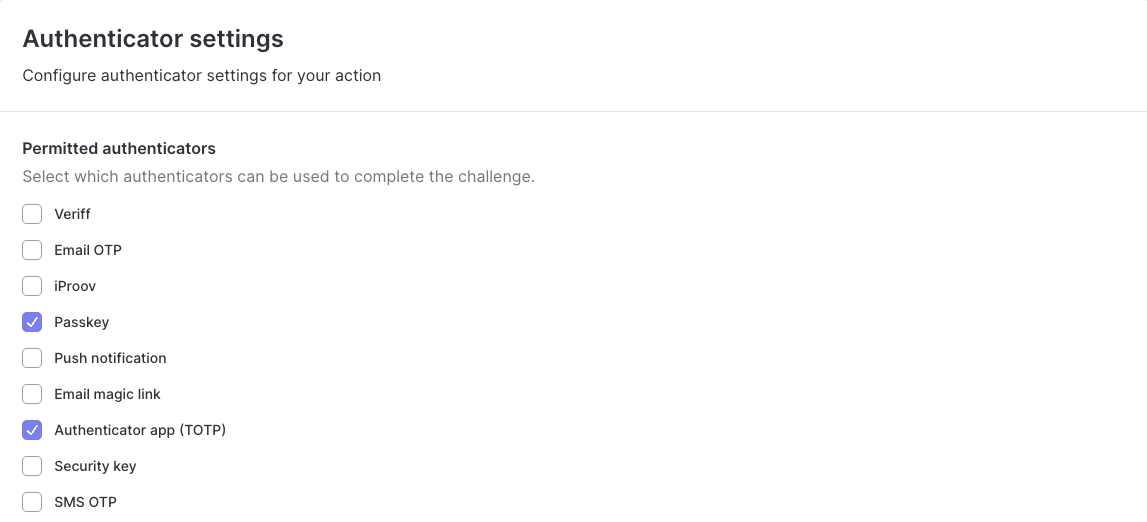 The pre-built UI will automatically hide any authenticators that are not permitted for the action.
If a user doesn't have any of the permitted authenticators, then the pre-built UI will allow them
to use their default authenticator to complete the challenge.
## Overriding permitted authenticators with rules
In some advanced scenarios, you might want to override the permitted authenticators more granularly when a specific rule is triggered.
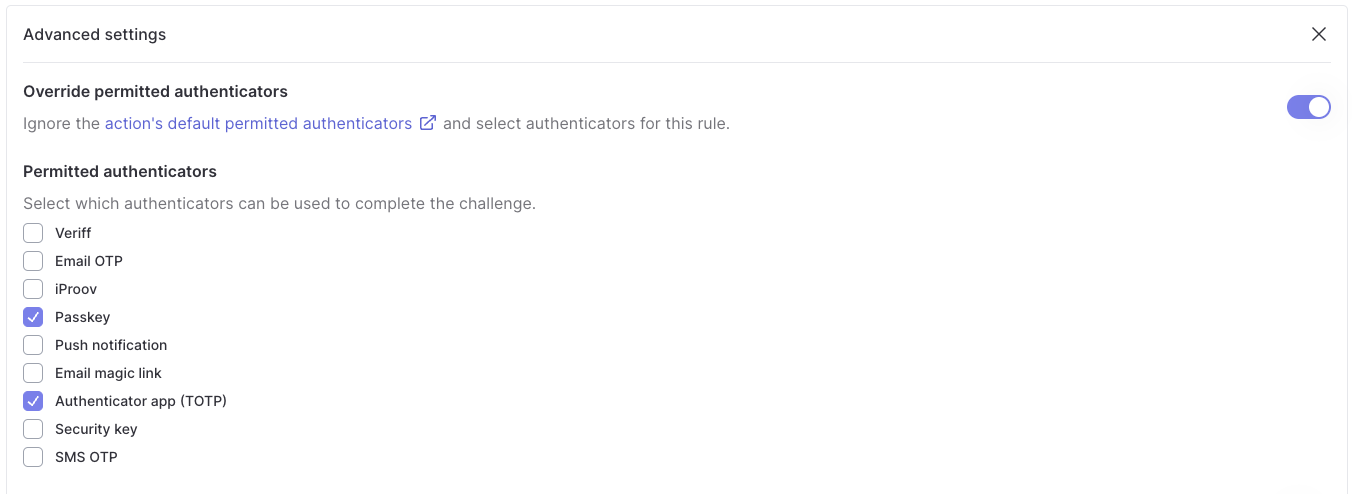
When editing a rule, you will see an **Advanced settings** section where you can configure permitted authenticators.
If this rule is triggered, then the challenge can only be completed using the permitted authenticators.
The pre-built UI will automatically hide any authenticators that are not permitted for the action.
If a user doesn't have any of the permitted authenticators, then the pre-built UI will allow them
to use their default authenticator to complete the challenge.
## Overriding permitted authenticators with rules
In some advanced scenarios, you might want to override the permitted authenticators more granularly when a specific rule is triggered.
When editing a rule, you will see an **Advanced settings** section where you can configure permitted authenticators.
If this rule is triggered, then the challenge can only be completed using the permitted authenticators.